

A story with a recurring cast
A small cast in a familiar place gives you something concrete to preserve as new events occur. You might introduce a visitor without replacing the main character or resetting the setting.
MiniMax H3 Max Director creates a continuing video scene that you can guide with new prompts. Its defining idea is live direction: set up a world, watch it unfold, and shape what happens next while aiming to retain its characters and setting.
This guide explains the H3 Max Director workflow through three imagined direction sequences. Follow how each new instruction changes the next event while preserving the story's premise, then review the controls and limits that matter when planning a session.
Think of a premise as the scene's foundation and a later direction as the next development. A useful planning question is: what should stay the same, and what should change now?

fal's own H3 Max Director launch page describes this clip as a single unbroken stream in which the same character holds while the world around him changes completely — not a result from this site's generator or from the illustrative prompt sequences later on this page.
Published on fal's official H3 Max Director page (fal.ai/h3-max-director) as the page's own hero clip. It illustrates the live-direction idea this guide explains: one continuing stream, not a chain of separate generations.

For an H3 Max Director session, name the recurring characters, their setting and the kind of action you want to explore. Our examples keep that premise short enough to compare with each later instruction.
H3 Max Director accepts prompt updates during a session. Updates apply to eligible future segments; they do not rewrite footage already playing. Leave room to observe the response before adding a conflicting instruction.
Compare the next event with the established scene. Look at identity, location and the unresolved action. These are useful review criteria, not a promise that every generated moment will match your plan.
Choose an idea where deciding what happens next adds value. The following are proposed creative uses, not measured performance claims or built-in templates on this site.
A small cast in a familiar place gives you something concrete to preserve as new events occur. You might introduce a visitor without replacing the main character or resetting the setting.
A path divides, a door appears or an object invites closer inspection. You choose which possibility to develop. Audience voting would require a separate application to collect choices and send directions; a prompt alone does not build that interface.
A weather shift or change in activity lets you explore progression while holding the location steady. The interest comes from the transition, rather than assembling a collection of unrelated shots.
Illustrative prompt drafts, not generated results. These three sequences show how we would plan live direction. They have not been tested in an H3 Max Director session. Each "Look for" is an intended observation, not a claimed outcome. The numbered steps are narrative order, not exact timing or API syntax.
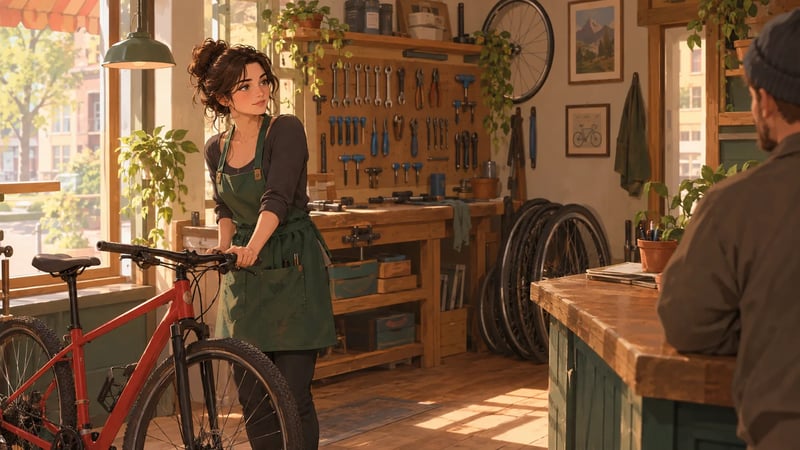
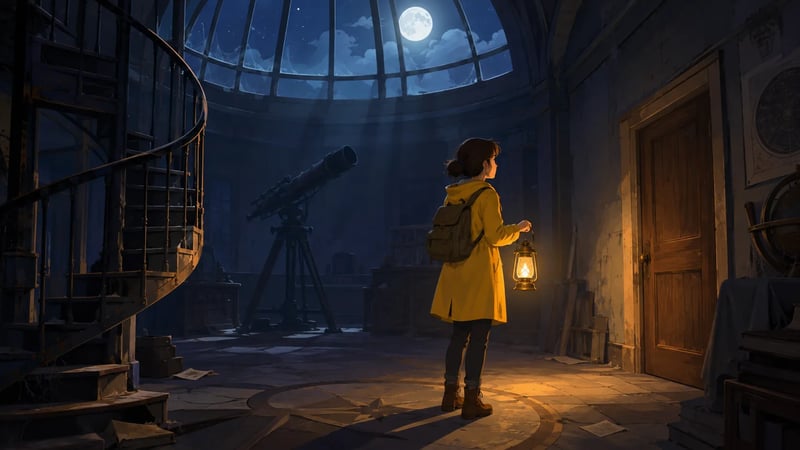
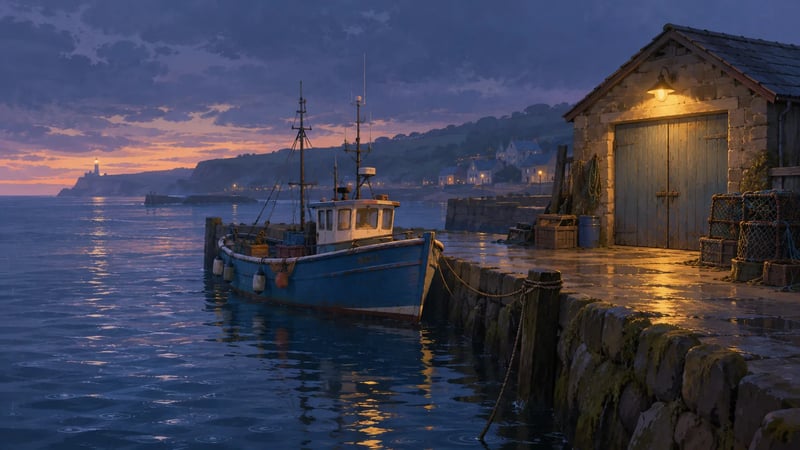
Sketched for this guide to accompany each example — not stills from an H3 Max Director session. These scenes were not generated in a live run.
Premise: an original gentle comedy follows Mara, an adult bicycle mechanic in a green apron, inside her small repair shop. A red bicycle waits beside the window. Keep Mara's appearance, the shop layout and the red bicycle consistent as the scene develops.
Next direction: a customer arrives carrying a bicycle bell in a small box. Mara looks up from the red bicycle and invites the customer to the counter. Continue in the same repair shop.
Later direction: the customer rings the bell, which makes a surprising squeak. Mara pauses, smiles, and reaches for a small screwdriver. Keep the same two people and continue the conversation at the counter.
Why this structure: the visitor changes the situation; the named character, location and bicycle remain anchors. Each follow-up develops the unresolved event rather than opening a different story.
Look for: the same apron and shop, an understandable arrival, then a reaction to the bell. If identity drifts, a proposed revision is to restate the relevant anchor and simplify the next event. That revision is also untested.
Premise: an adult explorer named Ivo, wearing a mustard coat and carrying a brass lantern, enters an abandoned observatory. A spiral staircase stands to the left and a closed wooden door to the right. Keep the building and Ivo's appearance consistent.
Next direction: Ivo chooses the wooden door rather than the staircase. He approaches it and notices a faint light beneath it. Keep the lantern in his hand and remain inside the observatory.
Later direction: Ivo opens the door and discovers a room of slowly turning paper planets. He stays in the doorway and raises the lantern to study them. Continue from his arrival at this door.
Why this structure: the direction resolves a choice already introduced. It tells the story which route to follow instead of asking for both possibilities at once.
Look for: the chosen door, the lantern and the connection between entering and discovering. An alternate creative direction could explore the stairs in a separate attempt; this example does not imply automatic branching, replay or saved checkpoints.
Premise: a quiet scene follows a small harbor at dusk. A blue fishing boat is tied beside a stone pier, with a yellow lamp above a closed boathouse door. Keep the boat, pier and boathouse in the same arrangement.
Next direction: a light rain begins. Small ripples appear around the blue boat and the stone pier darkens with moisture. Stay at the same harbor as the weather changes.
Later direction: the rain eases. A person in a gray raincoat steps from the boathouse and checks the rope securing the blue boat. Preserve the dusk setting and the yellow lamp.
Why this structure: weather creates progression; a later action gives the scene a new focus without discarding its location.
Look for: a readable weather transition and stable landmarks. If the transition becomes abrupt, a proposed next attempt would ask for a smaller change. No smooth-transition result is claimed here.
H3 Max Director's documented controls include an optional first image, an end-image target, audio input and planned script beats. These can help specify an opening or a later event. Availability and combinations depend on the session interface; this guide's text examples require no assumed image or audio asset.
Live control has a response delay. Review what actually changes before sending another direction. Sessions also have a duration limit: continuous generation does not mean unlimited running time.
Use an interface that explicitly offers H3 Max Director sessions and check its access terms, duration and charges before starting. Do not infer access from a generic H3 Max model selector. Continuity is a design goal, but a named character or camera instruction is not an exact-output guarantee — inspect the footage against your requirement when a plan needs a precise result.
An H3 Max Director prompt is not one 5–15 second shot. The first line sets the premise — who is in the scene, where they are, what is already true. Each later line is the next event, written so the parts you want to keep stay in the frame.
The three sequences on this page already show that split: a visitor arrives without replacing Mara; a choice at the observatory becomes the next beat. Write every follow-up as the next development, not a new clip. If you only need a single opening, a reveal, or a reaction, write it as a short take instead — that smaller job is what this site's generator already runs.
No. Cinematic language can describe an ordinary shot. H3 Max Director's distinguishing workflow is guiding a continuing scene. The examples above therefore include later developments, not only camera instructions.
Yes, the documented workflow includes live prompt updates. Read the timing section above before expecting the displayed scene to react immediately.
As a starting approach, identify the event you want next and the parts of the premise you want to preserve. The repair-shop example introduces a visitor while retaining Mara and her location. This is writing advice, not a tested formula.
Continuity is a design goal, not an absolute guarantee. Compare the actual footage with your premise, particularly after major changes in location or action.
You can design an experience around viewers' choices, but an application must collect those choices and translate them into direction. The observatory example illustrates the creative choice; it does not implement voting or a playable game.
Do not plan on unlimited sessions. Check the duration available to the session you intend to use, along with the applicable charges.
This site does not offer H3 Max Director live sessions. The section below is an option for readers who instead want a standalone short clip.
A single opening, reveal or reaction may be enough for your project — you can extract one moment from a larger idea and write it as a standalone shot. That is a smaller creative task, not a replacement for a continuing interactive scene. This site's generator makes short clips; H3 Max Director live sessions are not available here.

A useful H3 Max prompt decides four things: who is doing what, how the camera looks at it, when it happens inside the clip, and what we should hear. A stack of mood words — cinematic, epic, masterpiece — names a feeling and leaves those four decisions empty.

The short-clip generator this site actually offers — 5 to 15 seconds from a sentence or a still.
See what a short clip costs on this site, and which plan or credit pack fits the session you are planning, before you start.