Limited-Time 30% OFF!Get Offer
Category: CreatePrompt or a preset

MiniMax H3 Max Camera Controls

MiniMax H3 Max camera controls help you decide how the viewer moves through a scene. A push-in brings a detail closer; a pull-out reveals its surroundings. Describe the camera separately from the subject: a person walking toward the lens is a different shot from the camera moving toward a person.

Try Agent modeNEW

Describe your idea in a conversation and keep refining it.

Try Agent
Start frame
End frame
Duration (seconds)5s
5s10s15s
Number of outputs

Production preview

She is saying "I heard something. MiniMax H3 Max is here?.. Is that true?"
Two routes

Choose a prompt or a camera preset

On H3 Max, write camera movement into a prompt for H3 Max or Turbo, or upload a starting image and choose Dolly in, Dolly out, or Crane up with Multi-angle. If you already have a still and the move is one of those three, Multi-angle is the shorter path. Writing the same move in a MiniMax H3 Max prompt still works — pick one route, and do not mix opposite instructions.

  • Write the move in a prompt

    MiniMax H3 Max and MiniMax H3 Max Turbo read the camera as a sentence. Name the type of move, how far it travels, and how fast: a slow dolly in from the whole tabletop to the lid; a gentle track beside someone walking; a static hold if the frame should not drift. Use this route when you have no still, or when the move is not Dolly in, Dolly out, or Crane up.

  • Pick a camera preset

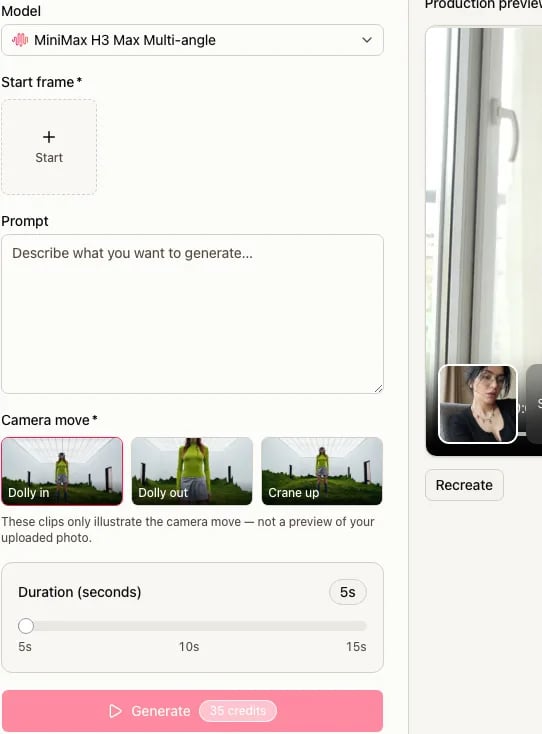
    Switch the model to MiniMax H3 Max Multi-angle, upload a starting still, and choose one of three cards: Dolly in, Dolly out, or Crane up. Those cards are fixed moves. Hovering or playing a preview does not select a card — click the one you want. Multi-angle does not offer a path editor, an end frame, or a text-only take.

If you need a pan, a zoom, or a follow

A pan, a zoom, a follow, or any path that is not Dolly in, Dolly out, or Crane up belongs in a MiniMax H3 Max or Turbo prompt. Write the move, run the take, and review how the shot follows it.

Three presets

Choose what the camera should reveal

Each preset is a different reveal. The diagrams show direction, not a finished take.

Move closer

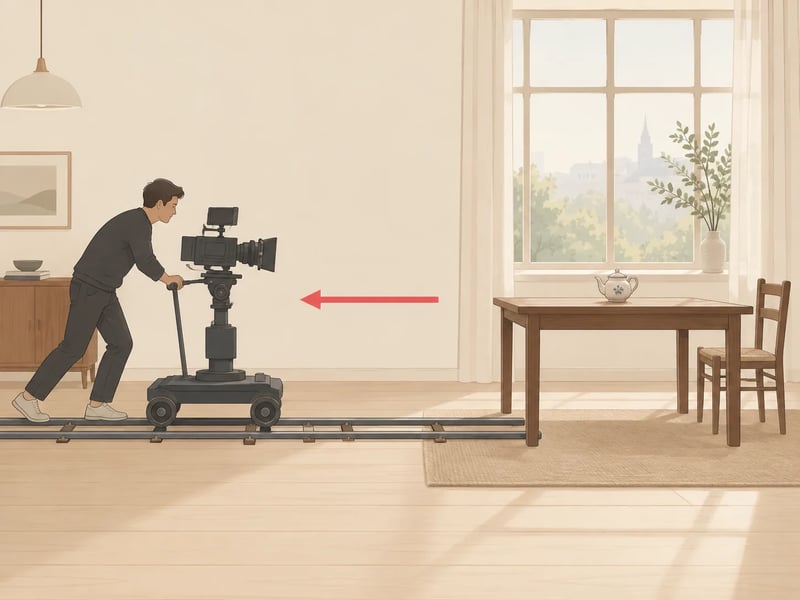
Dolly in travels toward the subject so a detail fills more of the frame. The lid of a teapot becomes the shot; the table falls away.

That is a change of camera position, not a zoom from a locked tripod. In a prompt, name the start size, the end size, and the speed.

Direction diagram: a camera dollies in toward a ceramic teapot on a wooden table — illustration, not a generated take

Reveal more of the scene

Dolly out travels away so the surroundings enter the frame. The window, the table edge, and the room around the teapot become visible as the camera steps back.

Use this when the still is already a close view and you want the space around it. Do not also write a push-in in the same take.

Direction diagram: a camera dollies out from a ceramic teapot to show the table and window — illustration, not a generated take

Raise the viewpoint

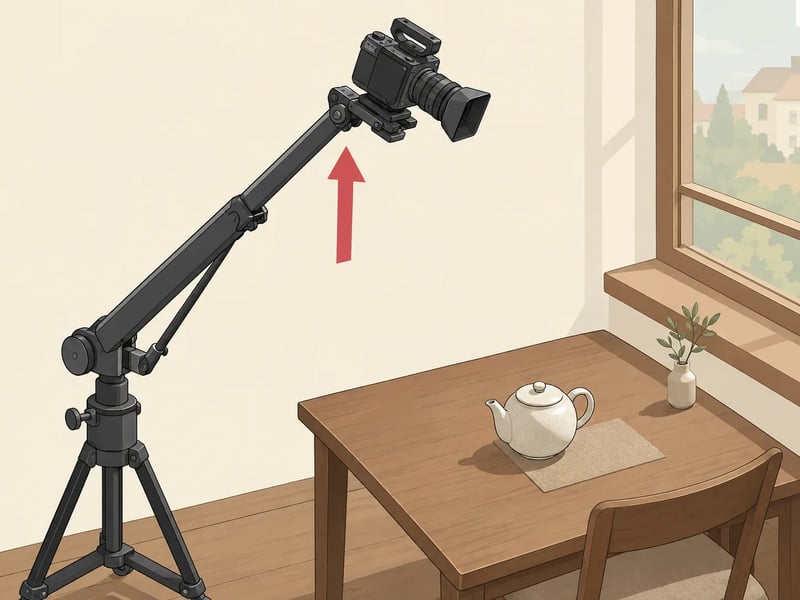
Crane up lifts the camera and looks over the subject. The tabletop reads from above.

That is not the same as tilting up from a locked height: the viewpoint itself rises. If you only want the lens to nod upward, write a tilt in a MiniMax H3 Max or Turbo prompt instead.

Direction diagram: a camera cranes up above a ceramic teapot on a wooden table — illustration, not a generated take
One scene, three sentences

Write one clear camera move

Name the movement, the range, and the speed. Keep the subject's action in a separate sentence so a walk toward the lens does not get read as a push-in. A dolly changes where the camera stands; a zoom changes focal length from a locked position. A pan turns left or right; a tilt turns up or down; Crane up changes height.

Movement, range and speed

Park the subject first, then name the composition change. On the take, check whether the pot stays put, whether the background perspective shifts with the camera, and whether the move is continuous. If you use Multi-angle, choose Dolly in and describe the scene in words — do not also ask for the opposite move.

Push-in prompt

A ceramic teapot rests on a wooden table beside a window. The camera slowly moves closer, from the whole tabletop to a close view of the lid. The teapot stays still. One continuous shot, with soft room ambience.

Why this structure
The pot is still. The camera travels from the whole table to the lid. Speed is slow. Sound is the room, not a score.
Look for
The pot staying put, the window perspective shifting, one continuous move. If the pot slides toward the lens, say the subject stays still before you change anything else.
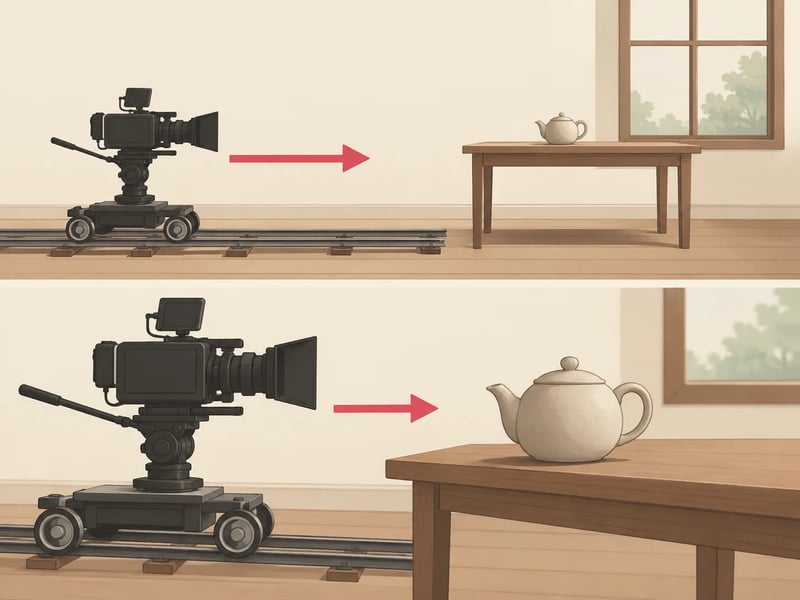
Direction diagram for a slow push-in on a teapot lid — illustration, not a generated take
Suggested wording. Diagram, not a generated take.

Follow the subject, or hold still

A person walking toward the lens is not a dolly. If the camera should follow, name the follow and keep a steady distance. If it should hold, say so. Write only one of these jobs in the camera sentence. Follow is a prompt on MiniMax H3 Max or Turbo — Multi-angle has no follow card.

Follow prompt

A person carries the ceramic teapot across the wooden table toward the window. The camera tracks with them at a steady distance, keeping the pot in the center of the frame. One continuous shot.

Hold still, same scene
A ceramic teapot rests on a wooden table beside a window. The camera holds still. Soft room ambience. No camera movement.
Look for
On a follow: the pot stays centered while the person moves, and the camera does not also push in. On a hold: the frame does not drift.
Wide teapot scene used as the setting for a follow or a still hold — illustration, not a generated take
Suggested wording. Diagram, not a generated take.

Use a preset with your image

Multi-angle starts from a still. Switch the model to MiniMax H3 Max Multi-angle yourself — a page button does not select it.

The screenshot is this site's picker. A hover clip shows direction; it is not a preview of your own photo.

This site's MiniMax H3 Max Multi-angle picker with Dolly in, Dolly out, and Crane up cards
Setup

From still to take

Do these in order. Duration is 5 to 15 seconds; resolution is 480P, 768P, or 1080P.

  1. 1

    Switch the model

    In the generator, choose MiniMax H3 Max Multi-angle. The three preset cards appear only on that model.

  2. 2

    Upload a starting still

    Multi-angle needs a first frame. It does not take an end frame or a text-only prompt.

  3. 3

    Click one preset

    Choose Dolly in, Dolly out, or Crane up. Click the card; a hover preview is only a direction clip.

  4. 4

    Set length and resolution

    Pick 5 to 15 seconds and 480P, 768P, or 1080P, then read the credit cost in the generator before you submit.

  5. 5

    Submit and check the move

    Watch whether the camera traveled the way you picked, and whether the subject stayed still unless you asked it to move.

Fix one thing

When the shot moves the wrong way

Change one thing, then look again.

  • The subject walks into a close-up; the camera never moved

    Change next
    Separate the subject's action from the camera sentence, or pick Dolly in on Multi-angle
    Leave alone
    Lighting adjectives
  • Two camera instructions fight (push in and pull out)

    Change next
    Keep one move
    Leave alone
    The starting still
  • The clip cuts to a new setup

    Change next
    Ask for one continuous move
    Leave alone
    Resolution
  • Dolly in looks like a zoom; the room does not shift

    Change next
    Restate that the camera travels closer
    Leave alone
    Dialogue
  • Crane up only nods the lens up

    Change next
    Restate that the camera rises
    Leave alone
    Duration
  • The revealed edges warp or smear

    Change next
    Simplify the background in the still, or shorten the move in the prompt
    Leave alone
    The preset name
FAQ

Camera control questions

Try a camera move

Open the H3 Max generator and run one take. If you want a preset, switch the model to MiniMax H3 Max Multi-angle yourself, then pick the card that matches the reveal you want.