
The opening line is not locked
Write ten phrasings of the same opening, run each one, and only then pick the line you will finish.
Write a sentence or drop a start frame. You get a 5–15 second clip with the sound already in the file — watch it, change a word, run the next take.
Production preview
One starts from a sentence. One starts from a still. Copy the prompt into the generator above.
"A white kitten chases a butterfly across a sunlit garden. Gentle camera tracking, natural movement, soft afternoon light filtering through the leaves." The clip tracks with the kitten, fills in leaf-speckled light the prompt never named, and matches the butterfly path to the head turn. That is enough to decide whether an opening has a rhythm.

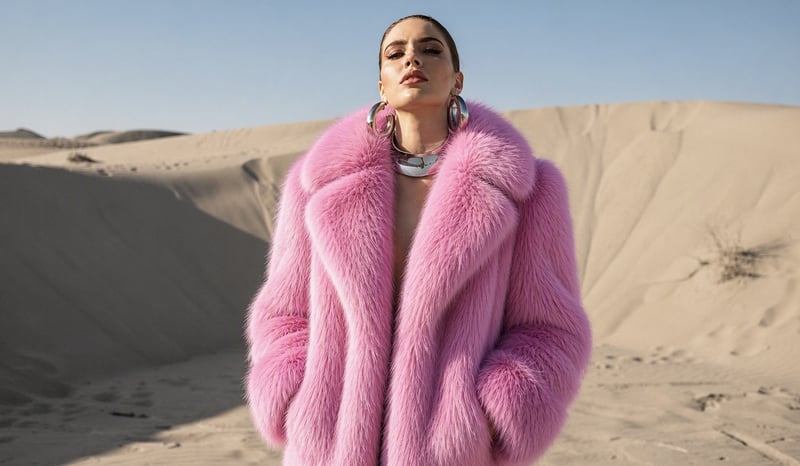
The clip grows from the still you upload. Pink fur and dune light stay in place; she shakes an earring, the crop comes in, she looks back at the lens. The desert behind her is still the original frame.

MiniMax H3 Max Turbo is the lane I use when the opening is still in play: a sentence or a still in, a clip with sound back. The slow part of cutting a short video is not the keeper — it is the seven openings I throw away before one of them holds.
In September 2026 preview benchmarks, it ran at about twice MiniMax H3 Max speed while targeting the 97th percentile of that model's quality.
Hunt the shot on Turbo. When one opening holds, run that same prompt on Max. At draft stage I usually cannot tell the two lanes apart. What I can tell is how many openings I got to try.
Default is 5 seconds. Stretch it only when the move needs more beats: Turbo bills by the second, so a longer clip costs more credits.
21:9, 16:9, 4:3, 1:1, 3:4, 9:16. Default 16:9. Image to video follows the start frame.
480P is enough to judge rhythm. When the move is right, run the keeper at 768P, 24 FPS.
Run a few drafts of the same prompt on Turbo, compare the openings side by side, and finish only the one you would actually post.
The clip grows from the still you upload — background, subject, and grade stay. Add an end frame only when the landing pose is the point.
If the prompt has a spoken line, you hear it in the same file — picture, room tone, and dialogue in one pass. MiniMax lists H3-family dialogue as stable in 11 languages.
A sentence is enough for text to video. Upload a start frame when you already have the opening look. Add an end frame only when the landing pose matters.
Pick length and frame, run one take. If the camera is right, finish the keeper at the higher resolution.
Push it one take at a time until you would keep watching.
If the job still has too many versions, it belongs here first.
Write ten phrasings of the same opening, run each one, and only then pick the line you will finish.
Cut six vertical takes, put them on the table, keep the one that survives the room.
Change the camera, not the product: keep the same pack shot, draft a few close-up moves on Turbo, and keep the one that shows it best.
Describe the wide shot, match the frame size to your timeline, and drop a few drafts into the gap until one cuts cleanly with its neighbours.
One portrait plus a new first line is a new spoken take with the sound included, so a script change does not mean a new shoot.
Draft landscape, square, and vertical. Finish only the one that will actually ship.
Hunt the shot on Turbo. Finish the keeper on Max. Speed and quality from public benchmarks.
| This pageMiniMax H3 Max TurboMore versions of the same opening before you pick a keeperRun a first take | MiniMax H3 MaxThe quality lane — for the keeper | |
|---|---|---|
| When to use it | The shot is still in play and you need more versions | The keeper needs the extra polish |
| Credits here | 480P 5 per second, 768P 8 per second, 1080P 20 per second (5s at 1080P = 100) | 480P 10 per second, 768P 20 per second, 1080P 35 per second (5s at 1080P = 175) |
| Quality | Targets the 97th percentile of original MiniMax H3 Max (September 2026 preview) | Design Arena image-to-video Elo 1,341, first place (August 2026) |
| Speed | About twice MiniMax H3 Max (September 2026 preview benchmarks) | Quality first |
| Resolution | 480P, 768P and 1080P | 480P, 768P and 1080P |
When the draft is locked, run that same prompt on MiniMax H3 Max.
 New
NewFeed up to 12 reference images, clips, and audio in — carry a subject, style, or voice into a new scene.
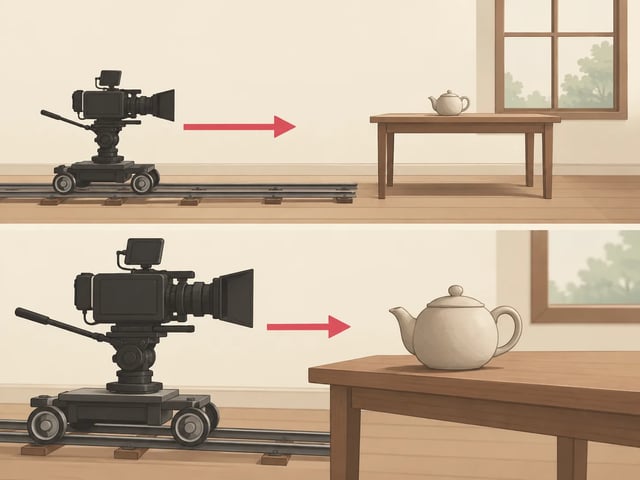
MiniMax H3 Max camera controls help you decide how the viewer moves through a scene. A push-in brings a detail closer; a pull-out reveals its surroundings. Describe the camera separately from the subject: a person walking toward the lens is a different shot from the camera moving toward a person.
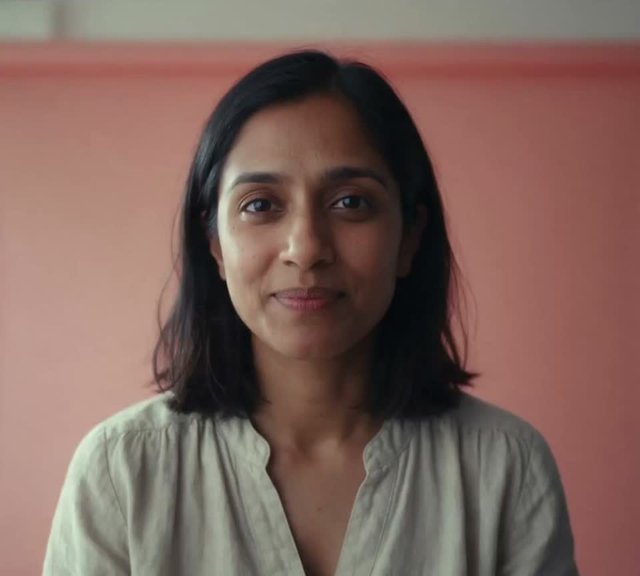
A still plus your own audio: MiniMax H3 Max Lip Sync moves the mouth to the soundtrack you upload, with no prompt to write.
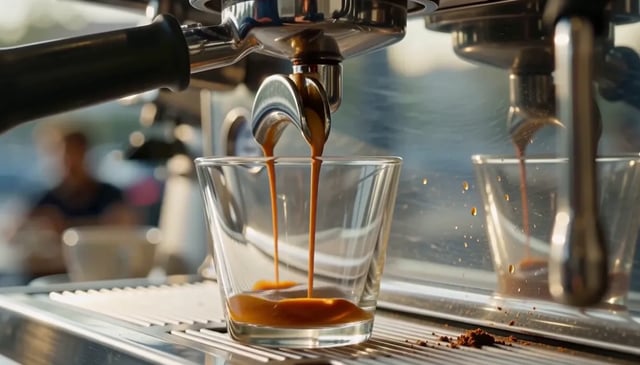 Prompt
Write the action, camera, timing, and sound, then run the same wording on Turbo.
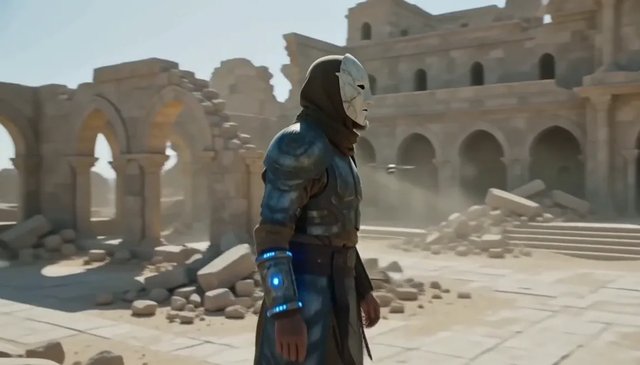 Keeper lane
The quality lane. First on Design Arena's image-to-video board in August 2026 — use it for the take you will keep.
 Compare
Which lane to run for 2K output, quick drafts or the keeper take, with MiniMax H3, H3 Max and Turbo side by side.
480P is 5 credits a second, 768P is 8 and 1080P is 20. The $19.90 monthly plan loads 1,000 credits — about 40 five-second 480P drafts, 25 at 768P or 10 at 1080P. Signup grants 25 credits, so the first 5-second 480P draft (25 credits) does not cost money.
Enjoy Limited-Time 30% OFF!
Hunt the shot on Turbo: more versions, hook tests, holes in a rough cut, a talking-head that keeps rewriting. Switch to MiniMax H3 Max for the keeper — it sat first on Design Arena's image-to-video board in August 2026. At draft stage I usually cannot tell the two lanes apart.
Yes. Signup grants 25 credits. A 5-second 480P draft is 25, so the first one does not cost money. Plans start at $19.90 a month for 1,000 credits.
September 2026 preview scores put it at the 97th percentile of original MiniMax H3 Max quality, still above base MiniMax H3. That is plenty for rhythm, hook tests, and comparing variants.
Yes. Picture, room tone, effects, and dialogue render in one pass. The file plays as soon as it comes back — no separate soundtrack, no lip-sync pass.
September 2026 preview benchmarks: about twice MiniMax H3 Max speed, at about half the compute cost.
Yes. Upload a start frame and the clip grows from it — background, subject, and grade stay. Add an end frame only when the landing pose is the point.
5 to 15 seconds in whole seconds, default 5. Text to video frames: 21:9, 16:9, 4:3, 1:1, 3:4, 9:16, default 16:9. Image to video follows the start frame. Choose 480P, 768P or 1080P, with 480P selected by default. 768P output is 24 FPS.
Clips you generate on a paid plan are yours to use commercially. Trademarks, likenesses, and copyrighted characters in the prompt are still yours to clear.
A sentence or a still in, a clip with sound back. Draft the opening on Turbo until one take holds, then finish it on MiniMax H3 Max.