
Keep one character consistent in a new scene
Reference the same face and outfit as Image 1 and write the new action. Carrying the subject's identity over is a design goal, not a pixel-exact guarantee — check the result against your reference.
Feed up to 12 reference images, clips, and audio clips into MiniMax H3 Max, then write a prompt that carries their subject, style, motion, or voice into a new 5–15 second scene.
Production preview
Both from this model's own example gallery — the same reference-to-video endpoint the generator above runs, and the same two references, rendered twice.
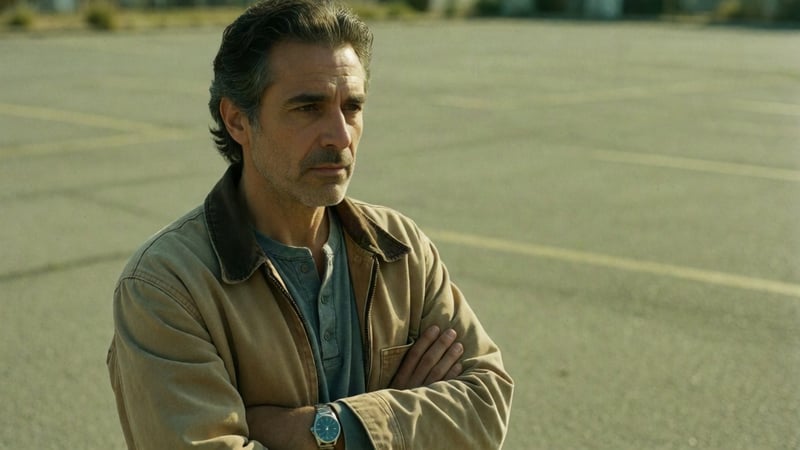
References: Image 1 is a solo photo of the near man; Image 2 is a solo photo of the far man — the two were never photographed together. Prompt: "The near man says flatly: 'Did you hear about H3 Max?' A beat of silence, wind moving across the lot. The far man's mouth pulls into a slow half-smile and he answers, warm and certain: 'Dude, I love it.' The near man exhales and shakes his head once, almost smiling. Native audio, lip-synced English dialogue, distant traffic hum, wind. No music, no subtitles, no camera movement." The result places both men in one generated scene, keeping each one's face and outfit from his own solo photo, and renders the dialogue as native, lip-synced audio in the same pass.
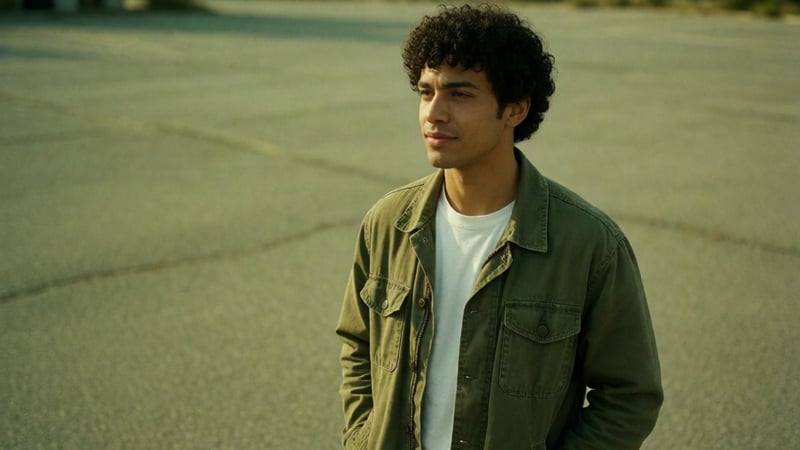
Same two solo photos and the same prompt, published as a second take in this model's own example gallery. The framing and delivery both land a little differently — a useful check on how much a result can vary between attempts with identical references and prompt.
Subject, character, or style references — named in the prompt as Image 1, Image 2, and so on.
Motion or camera references, 2–15 seconds each with a combined length under 15 seconds — named as Video 1, Video 2.
Voice or sound references, 2–15 seconds each — named as Audio 1, Audio 2. All three kinds are individually optional; mix and match up to 12 files total.
Aspect ratio defaults to adaptive — it takes its shape from your references — or pick one of six fixed frames.
Same three resolution tiers as this model's text-to-video and image-to-video modes — 480P for a quick check, 768P or 1080P for the keeper.
Generate more than one output from the same reference set and prompt on a paid plan; the first output is available on every plan.
Up to 9 images, 3 video clips (2–15s each), and 3 audio clips (2–15s each) — 12 files at most, and none of the three kinds is required on its own.
Name each reference by kind and order — Image 1, Video 1, Audio 1 — and describe the new action. The model reads the references through that ordering, not through file names.
480P, 768P, or 1080P; 5 to 15 seconds; adaptive aspect ratio by default. Watch the result, then adjust one reference or one line and run again.
Jobs where the point is carrying something specific into a new shot, not starting from a blank prompt.
Reference the same face and outfit as Image 1 and write the new action. Carrying the subject's identity over is a design goal, not a pixel-exact guarantee — check the result against your reference.
A packaging or product reference keeps color, shape, and label steady while the rest of the scene changes around it.
A short reference clip can donate its motion — a pan, a dolly, a spin — to a new subject and setting.
A reference audio clip can anchor the voice while the prompt writes new dialogue for the scene.
Mix a character image, a product image, and a short motion clip in the same prompt — up to 12 files total across all three kinds.
Keep the references from a working scene and rewrite only the dialogue in the prompt for a new language pass.
Image-to-video takes one still as the literal opening frame of the clip. Reference to video instead treats up to 12 images, clips, and audio as material the new video draws on for subject, style, motion, or voice — none of them has to be the opening frame, and it can take more than one at once.
No. Reference images, videos, and audio are each optional on their own — you can submit only images, only a video, or any mix, as long as the combined count stays at 12 or under.
Name them by kind and order in the prompt text itself — Image 1, Image 2, Video 1, Audio 1 — matching the order you attached them in. That is how the endpoint keys the references, not the file name.
2 to 15 seconds each, with the combined video duration (and, separately, the combined audio duration) also capped at 15 seconds.
480P, 768P, or 1080P, and 5 to 15 seconds. Aspect ratio defaults to adaptive — it takes its shape from the references — or you can fix one of six ratios.
The same per-second rate as this model's text-to-video and image-to-video modes: 480P is 7 credits a second, 768P is 15, and 1080P is 30 — a 5-second 480P run is 35 credits.
Consistency is the goal, not a guarantee — check the actual result against your reference, especially for a precise likeness or a specific product detail.
In the generator above: pick the MiniMax H3 Max model and its Reference to video tab. That is the same generator this page's "Run a reference set" links open.
The faster, cheaper lane for hunting an opening before you commit to a keeper.
Which lane for 2K, drafts, or the keeper — side by side.
See what a reference-to-video run costs on this site before you start.
A still plus your own audio — the mouth follows the soundtrack.
480P is 7 credits a second, 768P is 15, and 1080P is 30 — the same table as this model's text-to-video and image-to-video modes. A 5-second 480P run is 35 credits.
Enjoy Limited-Time 30% OFF!
Up to 12 images, clips, and audio in. One new video out, with your references' subject, style, motion, or voice carried through.